
Lead Mining in Odoo 17 CRM Application
To move sales leads or prospects through the sales channel, lead management tracks incoming inquiries, links them with sales agents, and logs their interactions. To ensure effective lead management, the sales representative should also qualify, evaluate, and frequently reassess their assessments of the prospect. Businesses use various channels and strategies to generate leads. This can include online methods such as website forms, landing pages, social media, email campaigns, content marketing, and offline methods like events and trade shows. The goal is to gather information about individuals or companies that have shown interest in a product or service, allowing the business to nurture these leads and eventually convert them into customers.
Lead generation is time-consuming and challenging, but by utilizing criteria-based filters in Odoo‘s CRM, you may extract suitable leads depending on the prospect’s nation of residency. This CRM may greatly assist in business growth, particularly for startup enterprises.
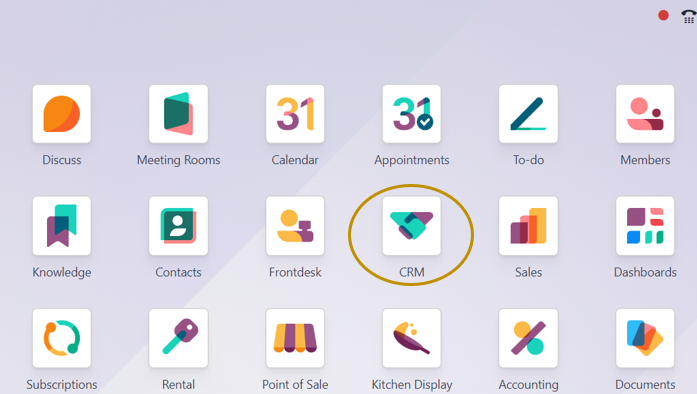
Lead mining refers to the process of identifying and acquiring potential customers or leads for a business. We can dive into the Odoo 17 CRM application to know how Lead Mining can be done.
Activating Lead Mining Setting in Odoo
CRM App => Configuration Menu => Settings => Lead Generation section => Lead Mining => Save
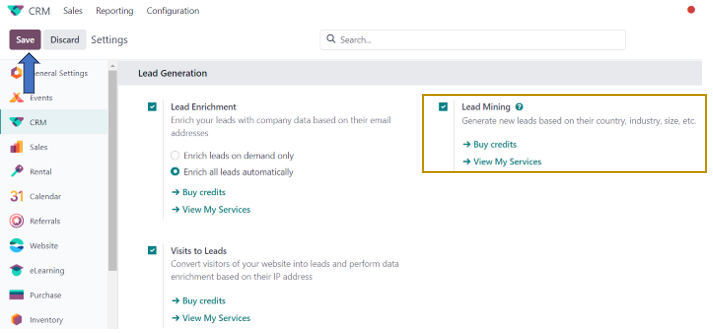
Enabling this option will add a ‘Generate Leads’ button to the ‘Pipelines’ dashboard.

On selecting the ‘Generate Leads’ option, a pop-up window appears in which we need to specify the required number of leads to be extracted or acquired, targeted countries, targeted states, targeted industries, assigned sales team, assigned salesperson, default tags and the desired company size or strength in their corresponding fields.
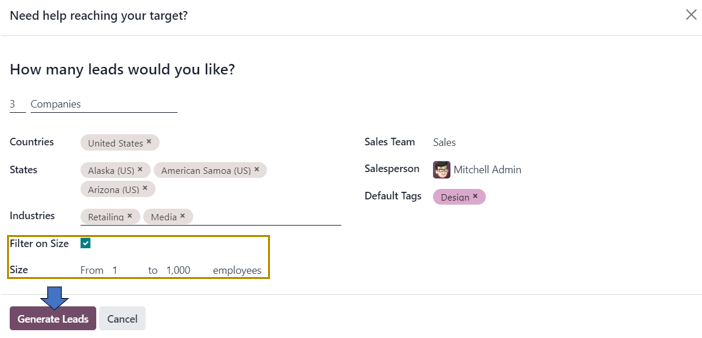
In the ‘How many leads would you like?’ field, you have the option to choose from either the ‘Companies’ or ‘Companies and their contacts’ option from the drop-down. By enabling the ‘Filter on Size’ checkbox, a new field ‘Size’ appears just below the field where we can specify the range of employee count in the companies to be targeted. After specifying the lead mining Criteria in the above window, select the ‘Generate Leads’ option. Your new Lead Mining rule will be created and saved in the CRM database for future usage.
How to manage Lead Mining Requests?
Odoo provides a separate window for creating and managing different Lead mining requests from sales and marketing teams.
CRM App => Configuration Menu => Lead Generation Section => Lead Mining Requests

In the Lead Mining Requests page, we can view details like Request number, Number of Leads, Target, Countries, Sales Team, Salesperson, Tags, and Status.
Creating a Lead Mining Request
If you want to create a new lead mining request to be submitted to the manager, Select the ‘New’ option in the window above.
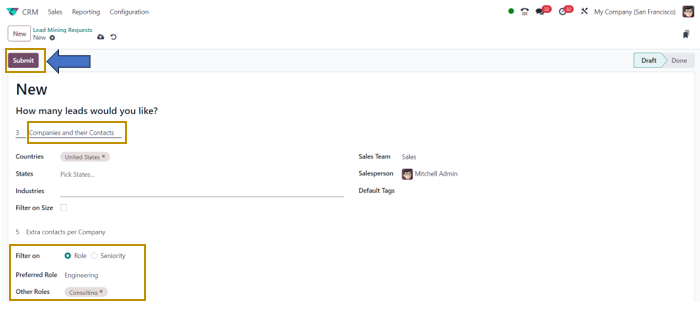
In the Lead Mining Request form, fill in the required details as discussed before. If you are selecting the ‘Companies and their Contacts’ option as the target, you also have the option to filter contacts based on either ‘Role’ or ‘Seniority’. We can specify the preferred role and other role preferences as well as the Seniority level by selecting the respective options. After specifying the lead mining request, we can select the ‘Submit’ button.
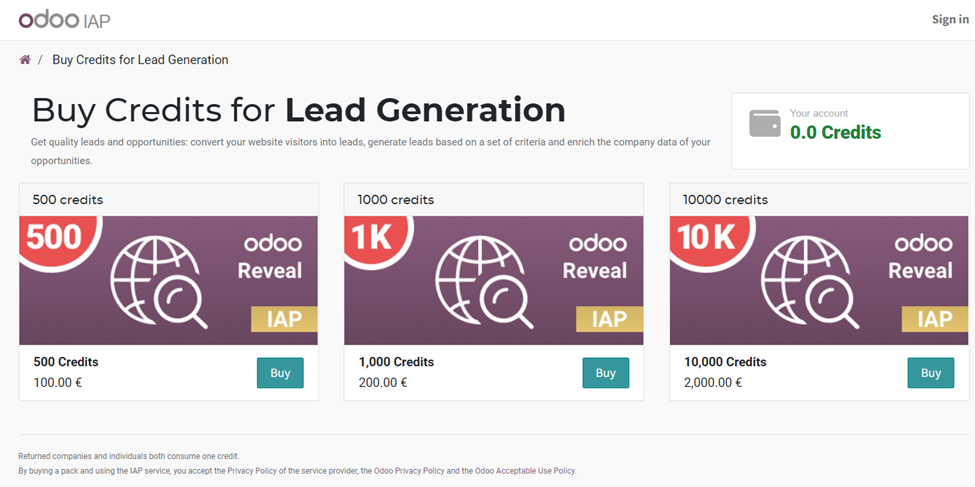
Note that we need to have enough credits for using the Lead Mining feature. These credits are utilized for extracting leads based on the specified lead mining filter-based criteria. The credits can be purchased by selecting the ‘Buy Credits’ option that appears when you don’t have enough credits in your account to proceed with the Lead Mining procedure.
The CRM application’s lead mining functionality allows users to easily generate leads while saving time and effort by providing leads for salespeople, who may then turn them into customers. Because the lead mining tool collects all of the information needed for lead follow-up, the sales team can follow up on leads. When compared to traditional methods, this strategy saves time and is highly successful.