Managing Post-Dated Cheques for Invoices and
Bills in Odoo 19
Introduction
Post-Dated Cheques in Odoo 19 allow businesses to record and manage cheque payments that are issued with a future date, their payment cannot be processed until the specified date. Businesses often use post-dated cheques for scheduled payments to vendors or to receive payments from customers at a later date.
In Odoo 19, you can manage post-dated cheques by temporarily recording the cheque amount in a holding account until the cheque date arrives. Once the bank deposits or clears the cheque, you can then move the amount to the respective bank account.
This documentation explains how to record, track, and process post-dated cheques in Odoo 19 to ensure accurate accounting and proper cash flow management.
Creating PDC Accounts in the Chart of Accounts
In the Accounting app, navigate to Configuration → Chart of Accounts → Create new
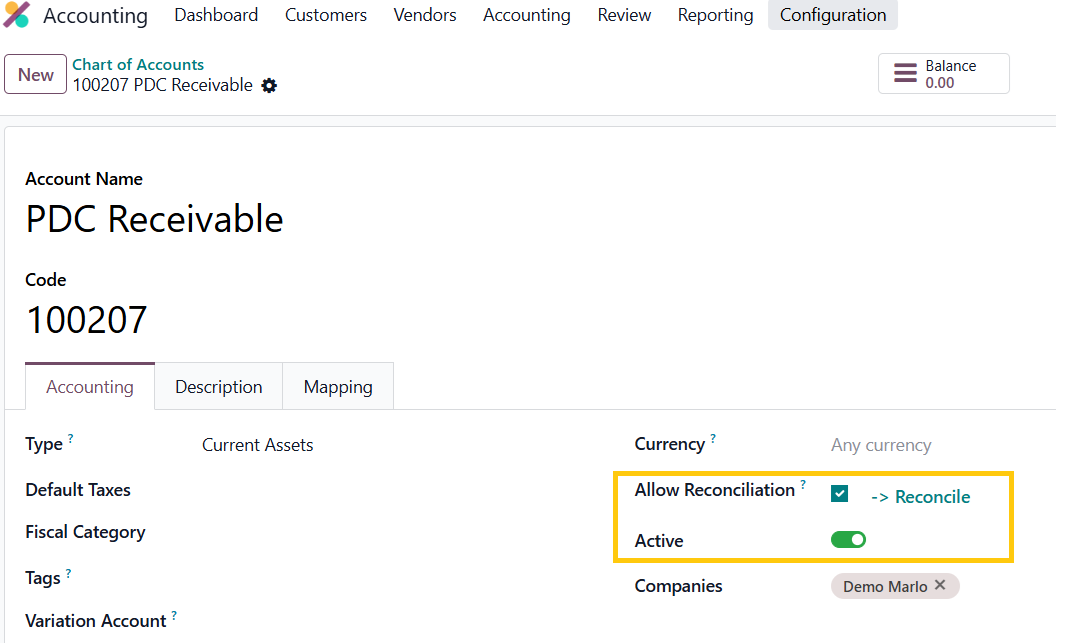
PDC Receivable Account
Create an account named PDC Receivable and set the account type to Current Assets. This account will temporarily hold the amount that customers provide through a post-dated cheque until the bank deposits and clears the cheque. Companies typically use it when recording payments for customer invoices.
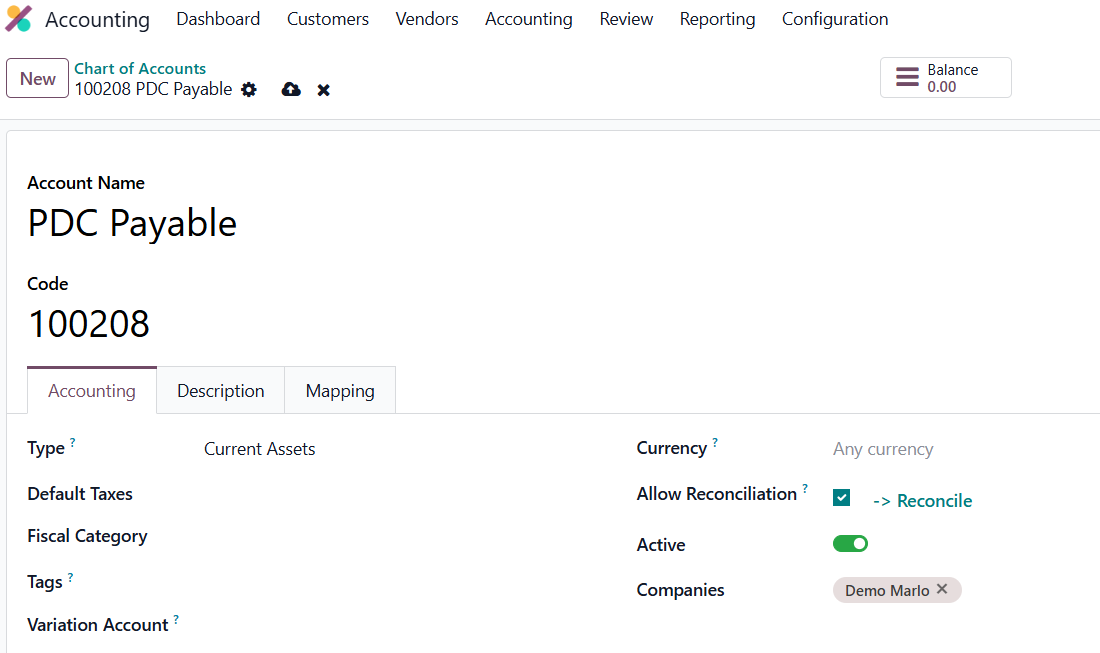
PDC Payable Account
Set the account type to Current Assets. We use this account when recording payments for vendor bills.
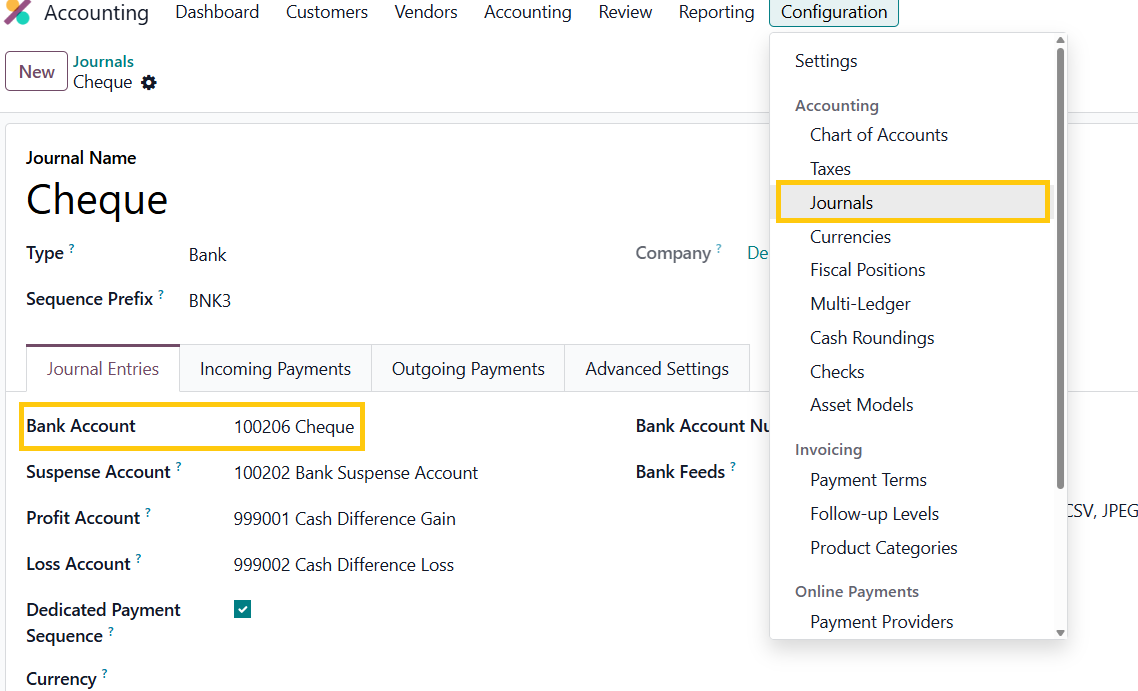
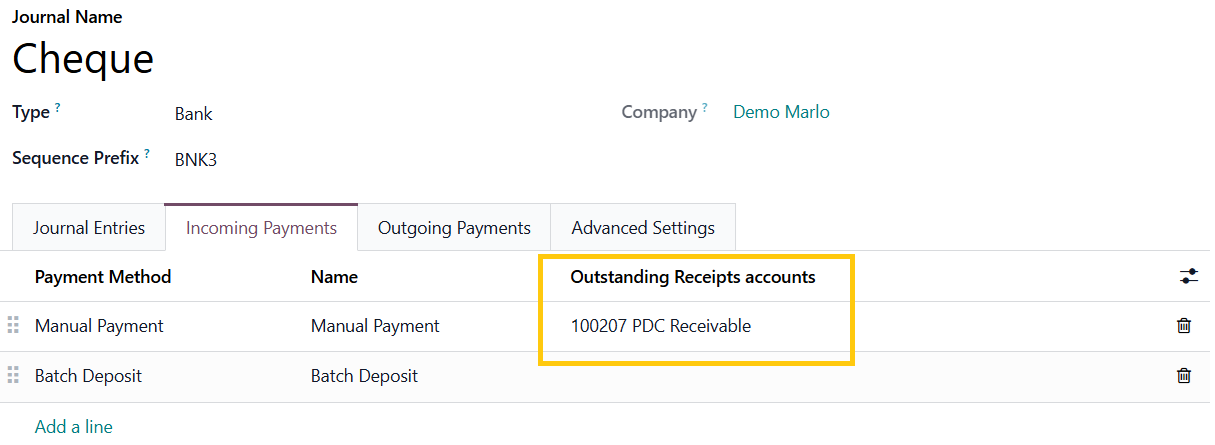
Create a new journal named Cheque. When you set the journal type to Bank, the system will automatically populate the account details and set the bank account field to the cheque account.
In the Incoming Payments tab, set the Outstanding Receipts Account as the PDC Receivable account.
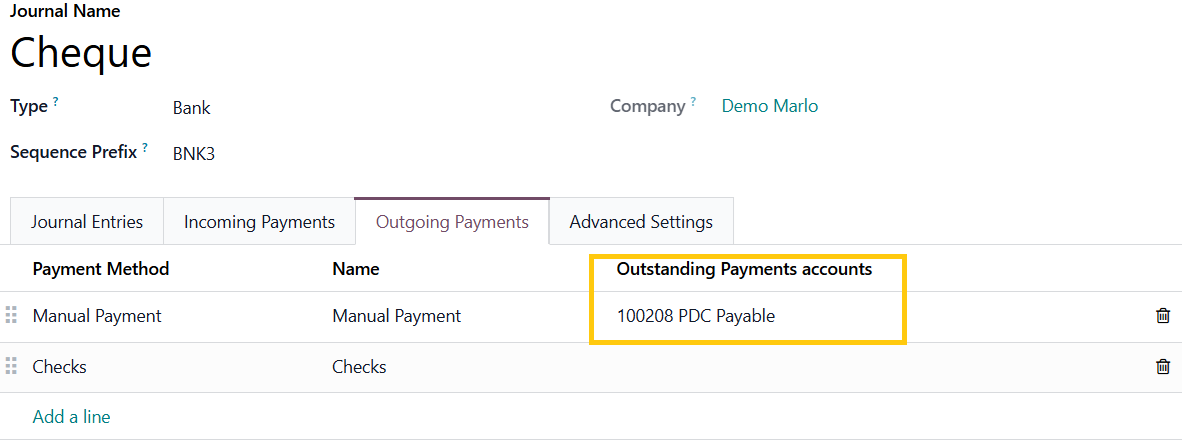
In the Outgoing Payments tab, set the Outstanding Payments Account as the PDC Payable account.
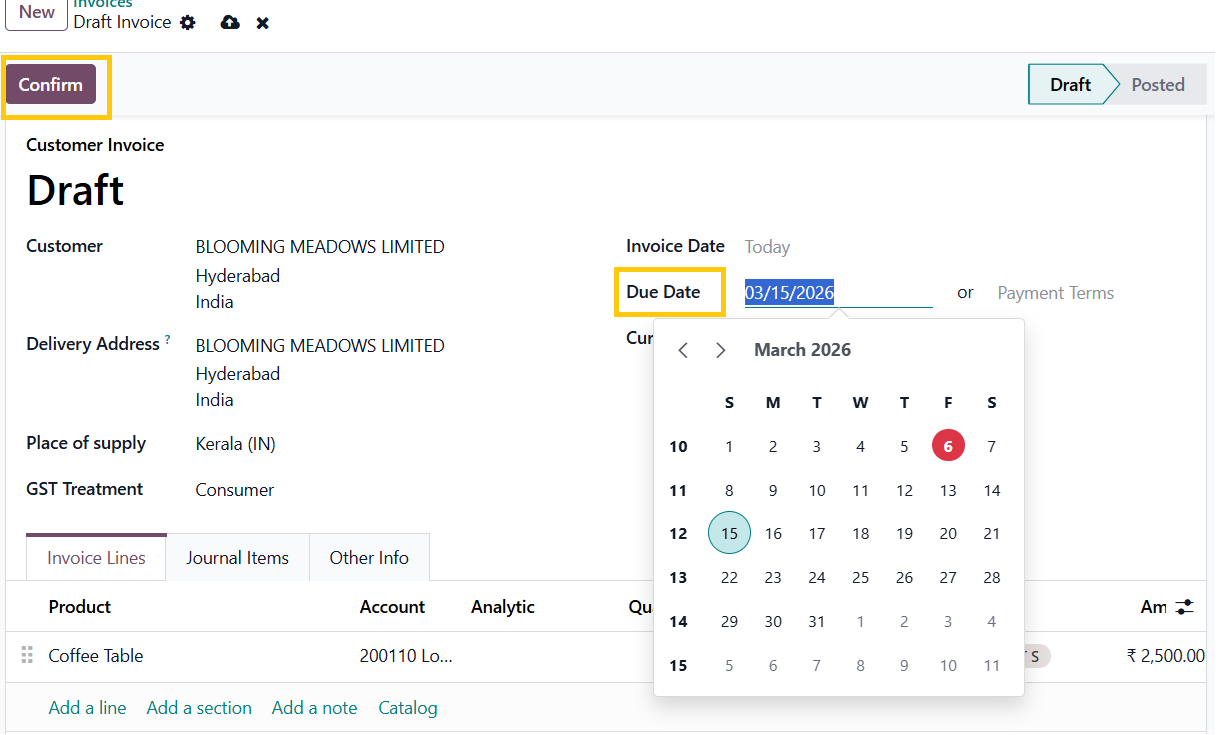
Create a new customer invoice and set the due date to a future date and click confirm.
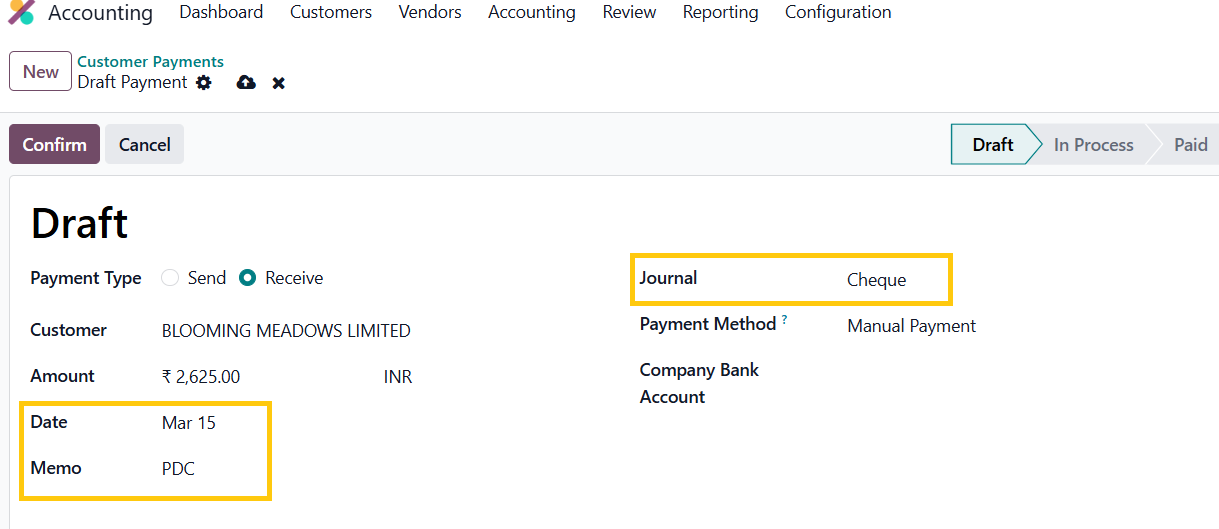
Create a new customer payment by navigating to Customer → Payment. Keep the Payment Type as Receive for customer invoices and Send for vendor bills. Set a payment date in the future and select the Cheque journal, then click Confirm. Upon confirmation, the payment status changes from Draft to In Process.
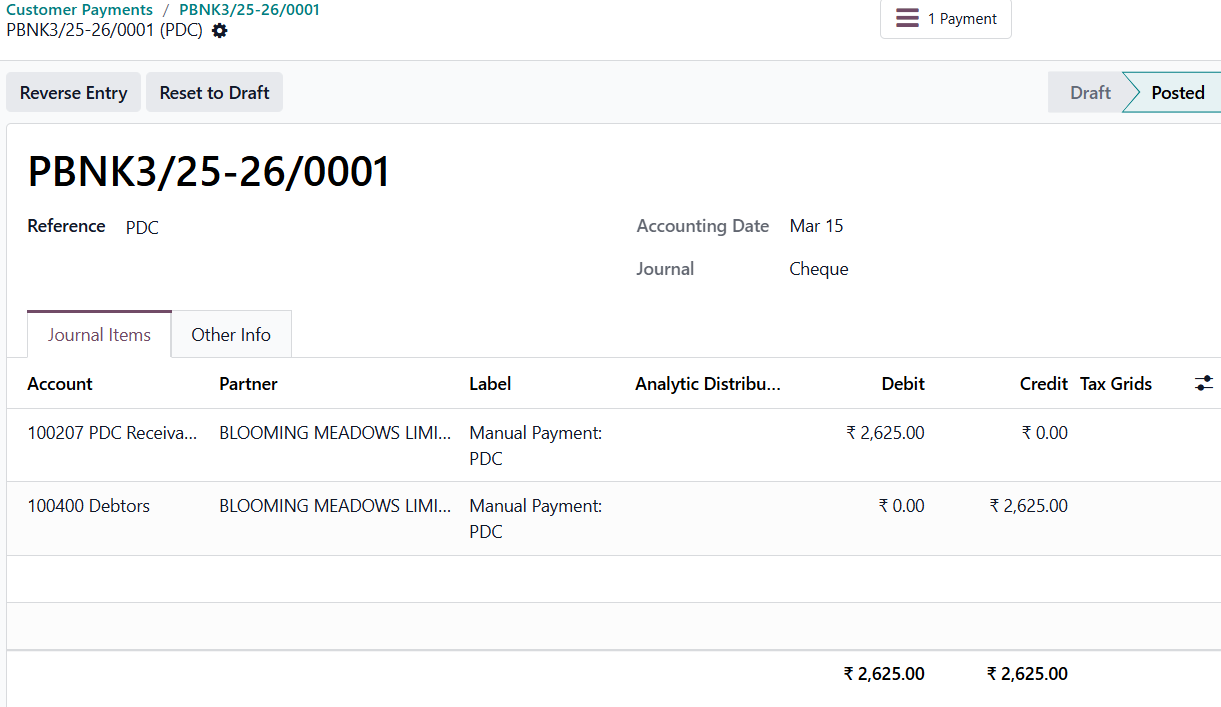
Click the Journal Entries smart button at the top. The system will now debit the payment amount to the PDC Receivable account.
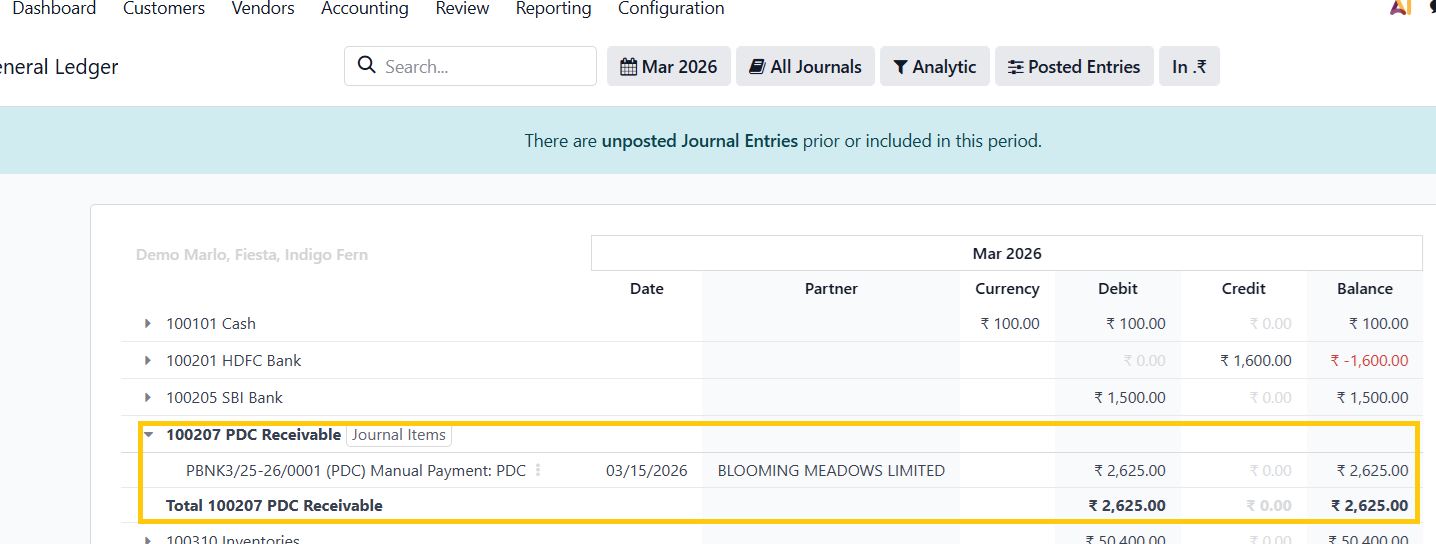
In the General Ledger, you can see the transaction entry under the PDC Receivable account. In the case of vendor bill payments, the system will create the journal entry under the PDC Payable account.
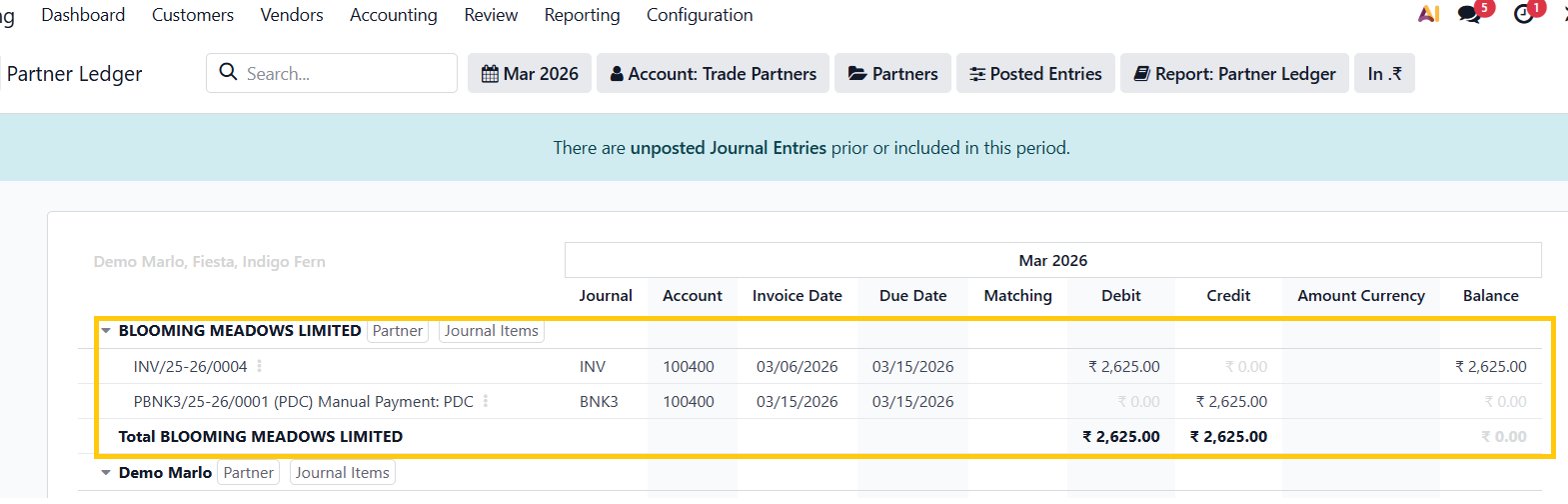
The system will create two entries in the Partner Ledger: one for the invoice date and another for the future date when the cheque is due.
Going back to the customer invoice, an Outstanding Credit under the PDC account will be available. This represents the post-dated cheque payment that the company has recorded but the bank has not yet cleared.
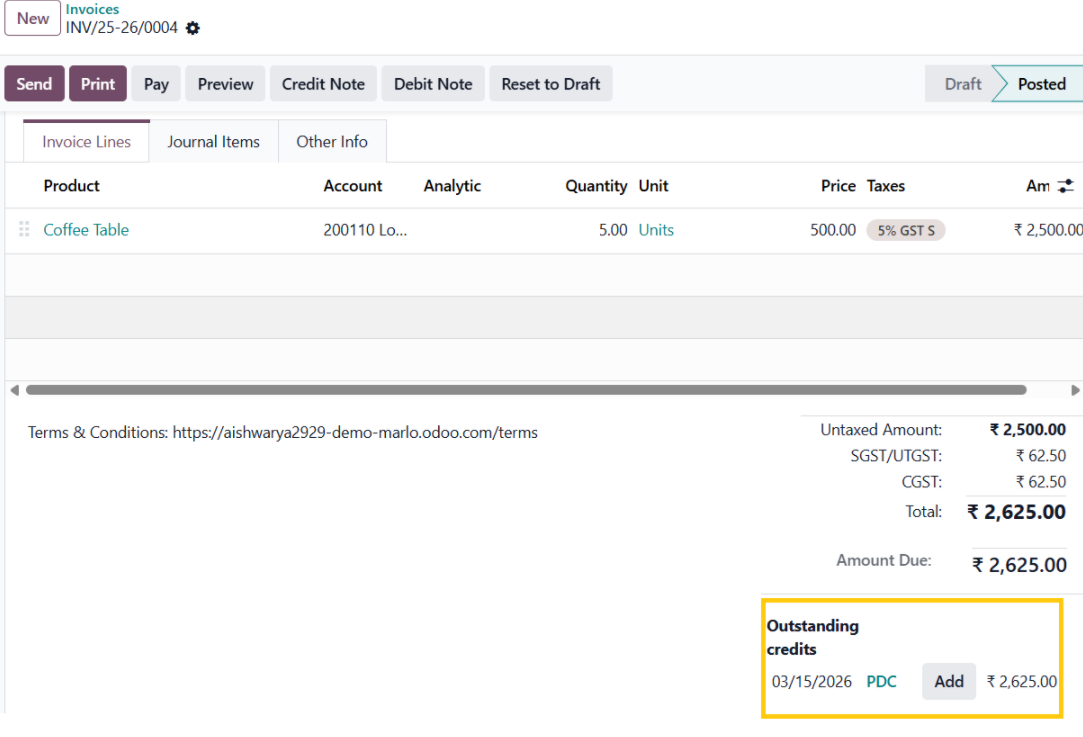
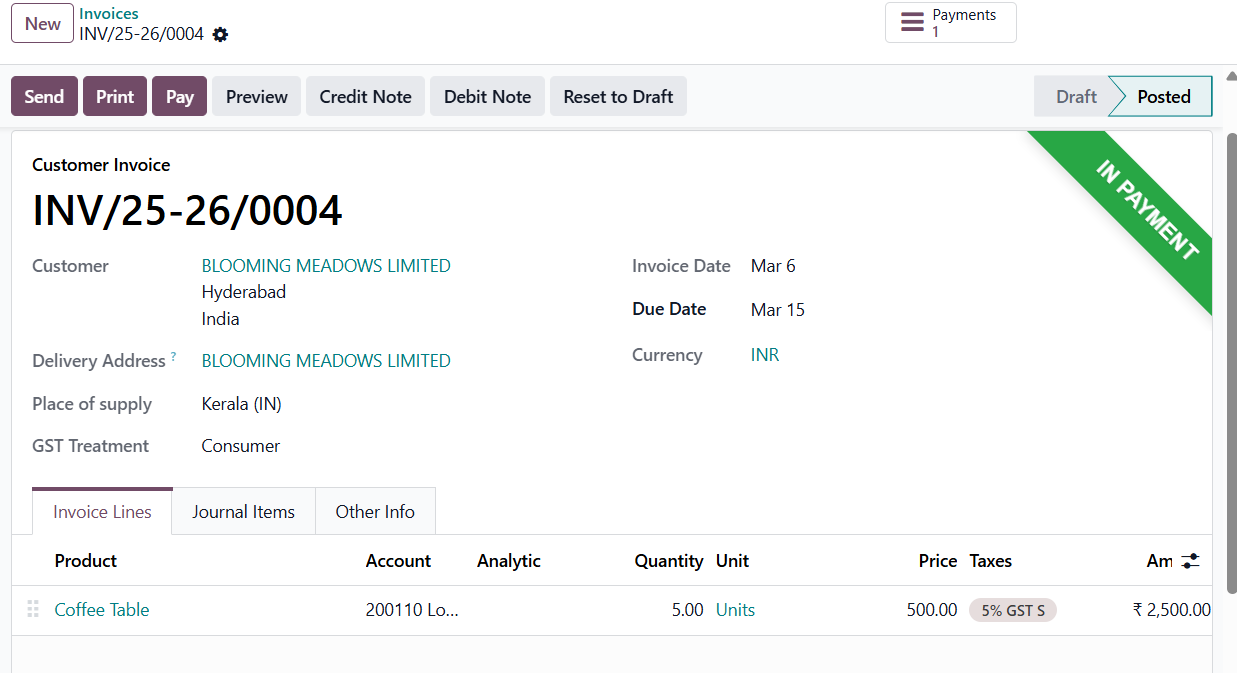
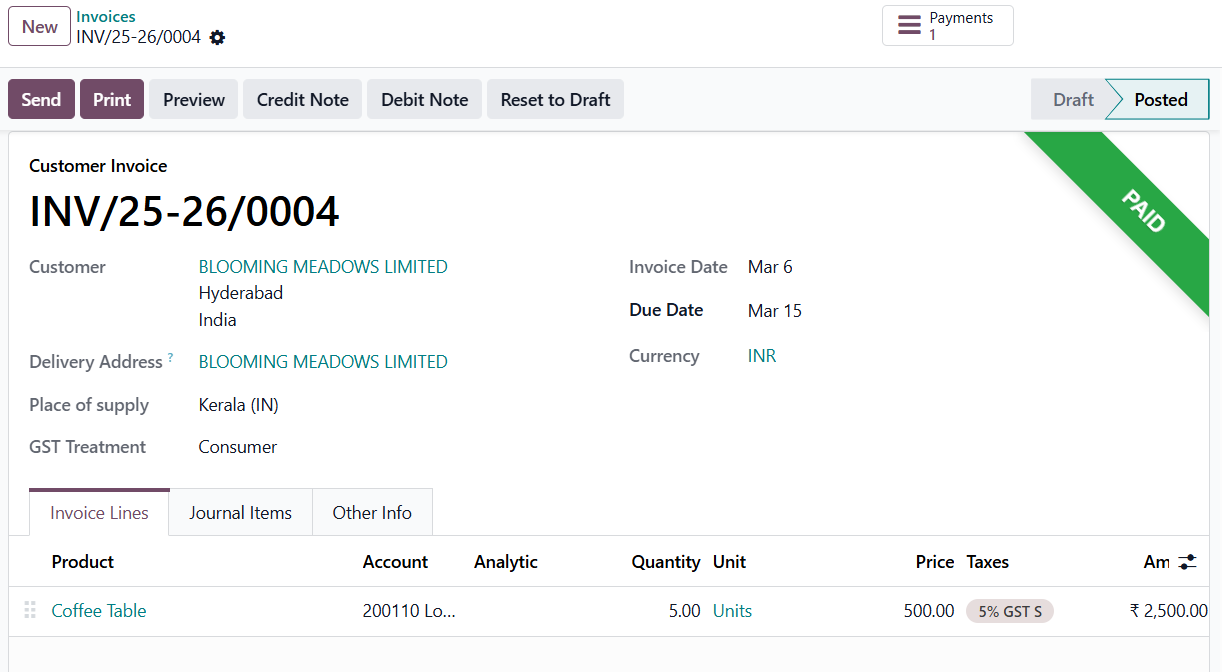
Upon applying the outstanding credit, the invoice status changes to In Payment. The system will change the status to Paid only after it reconciles the transaction with the bank statement.
Bank Reconcillation
In Post-Dated Cheque management in Odoo, users use bank reconciliation to match the cheque transaction with the corresponding invoice once the amount appears in the bank statement. This confirms that the cheque has been cleared and the payment status updates accordingly.
In the Cheque journal, create a new transaction, ensuring that the customer and the amount match those specified in the invoice.
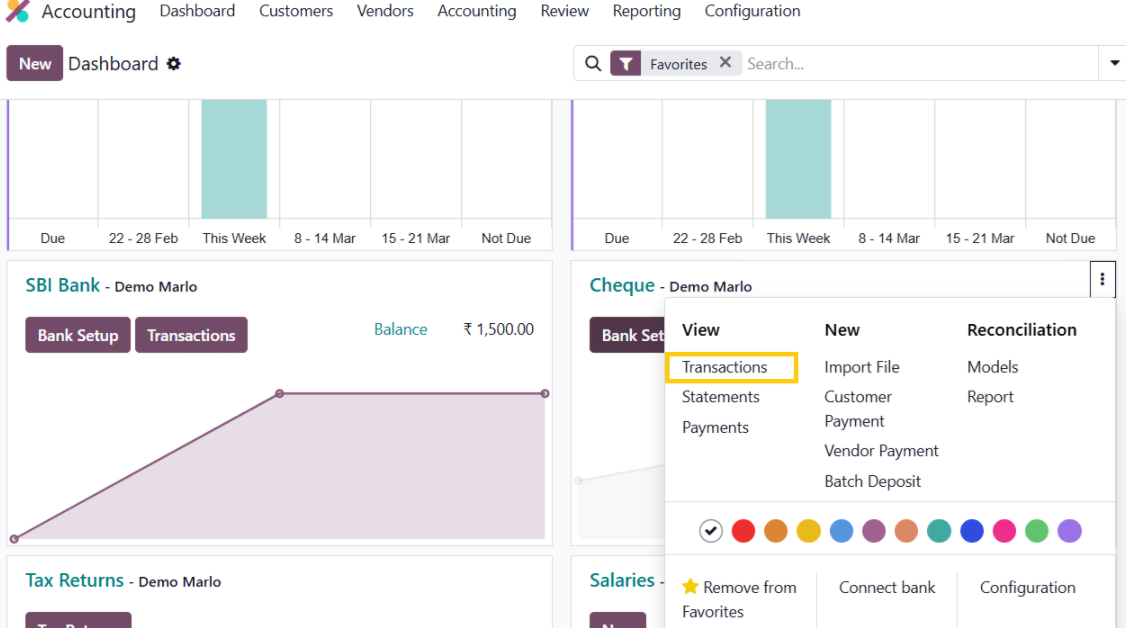
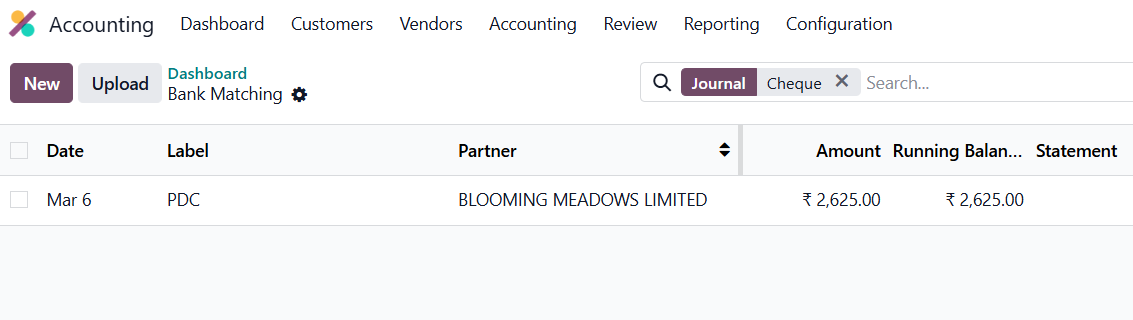
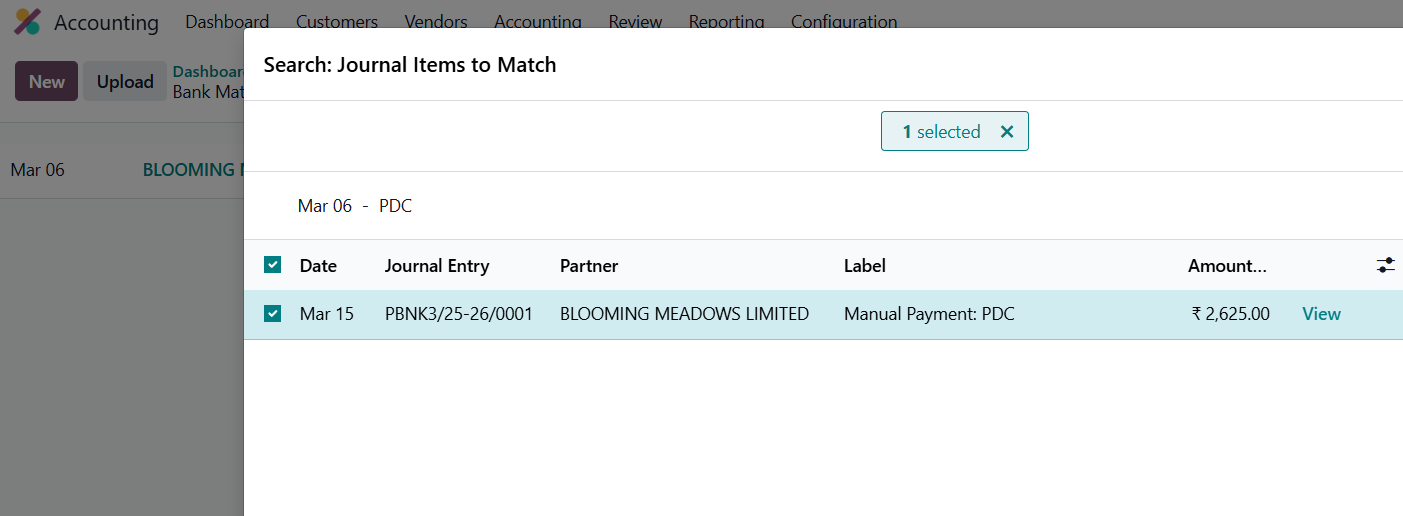
Go back to the main dashboard. In the Cheque journal, a Reconcile button will appear. Click on it to match and reconcile the transaction with the corresponding invoice.
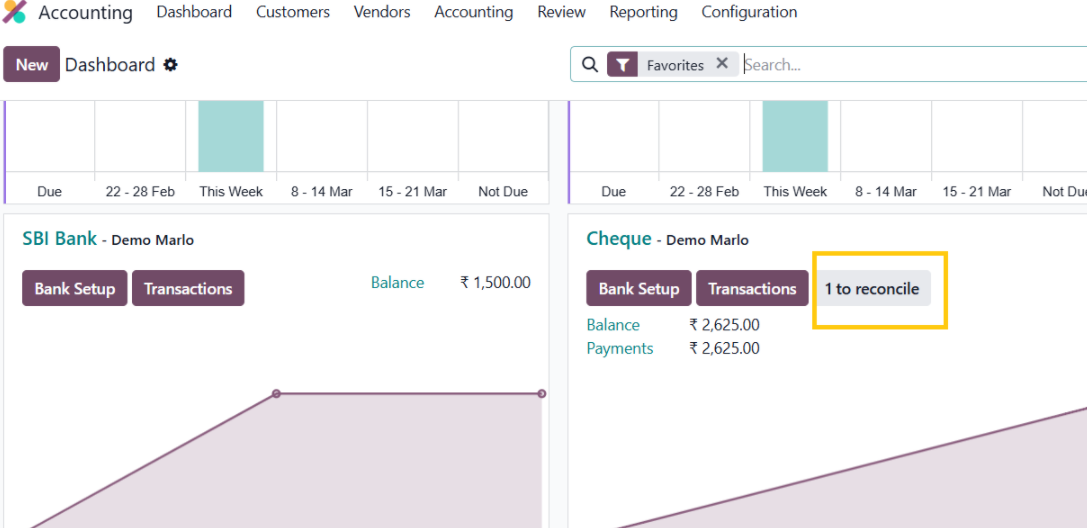
Select the appropriate journal entry to reconcile :
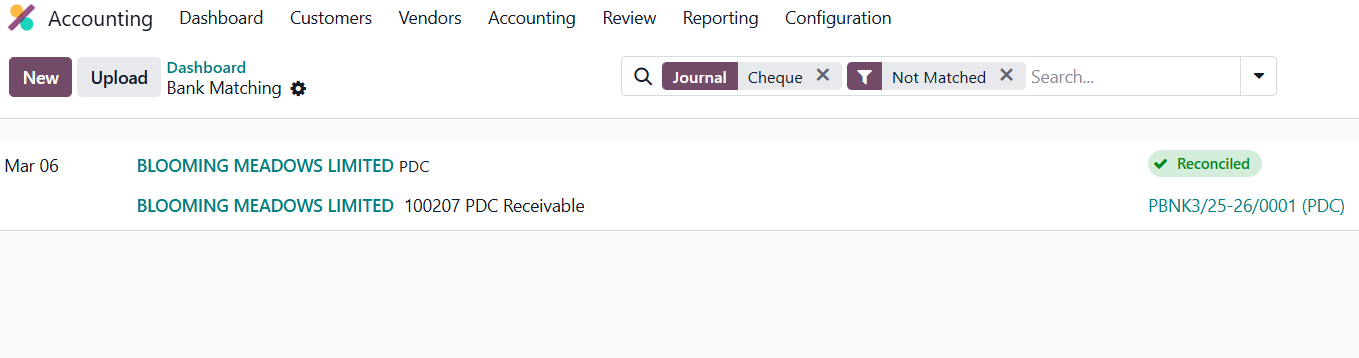
You can then open the invoice to verify that its status has now changed to Paid.
In conclusion, managing post-dated cheques in Odoo 19 helps businesses accurately track payments that are scheduled for future dates. By using dedicated holding accounts such as PDC Receivable and PDC Payable, organizations can temporarily record cheque transactions until the bank clears them. This approach ensures better visibility of pending cheque payments, maintains accurate bank balances, and supports proper financial tracking within the accounting system.
Handling Post-Dated Cheques in Odoo doesn’t have to be complex. Let Odoo streamline your payment tracking — connect with us at infintor.com for expert support and guidance.