How to Choose the Right ERP System for Your
Business
Choosing an ERP system is one of the most important decisions a growing business will make. Get it right, and it becomes the backbone of your operations — connecting sales, inventory, finance, and HR in one place. Get it wrong, and you’re stuck with a system your team doesn’t use, data that doesn’t connect, and costs that keep climbing.
The good news is that making the right choice doesn’t require a technical background. You just need to ask the right questions.
What Is an ERP System, and Why Does It Matter?
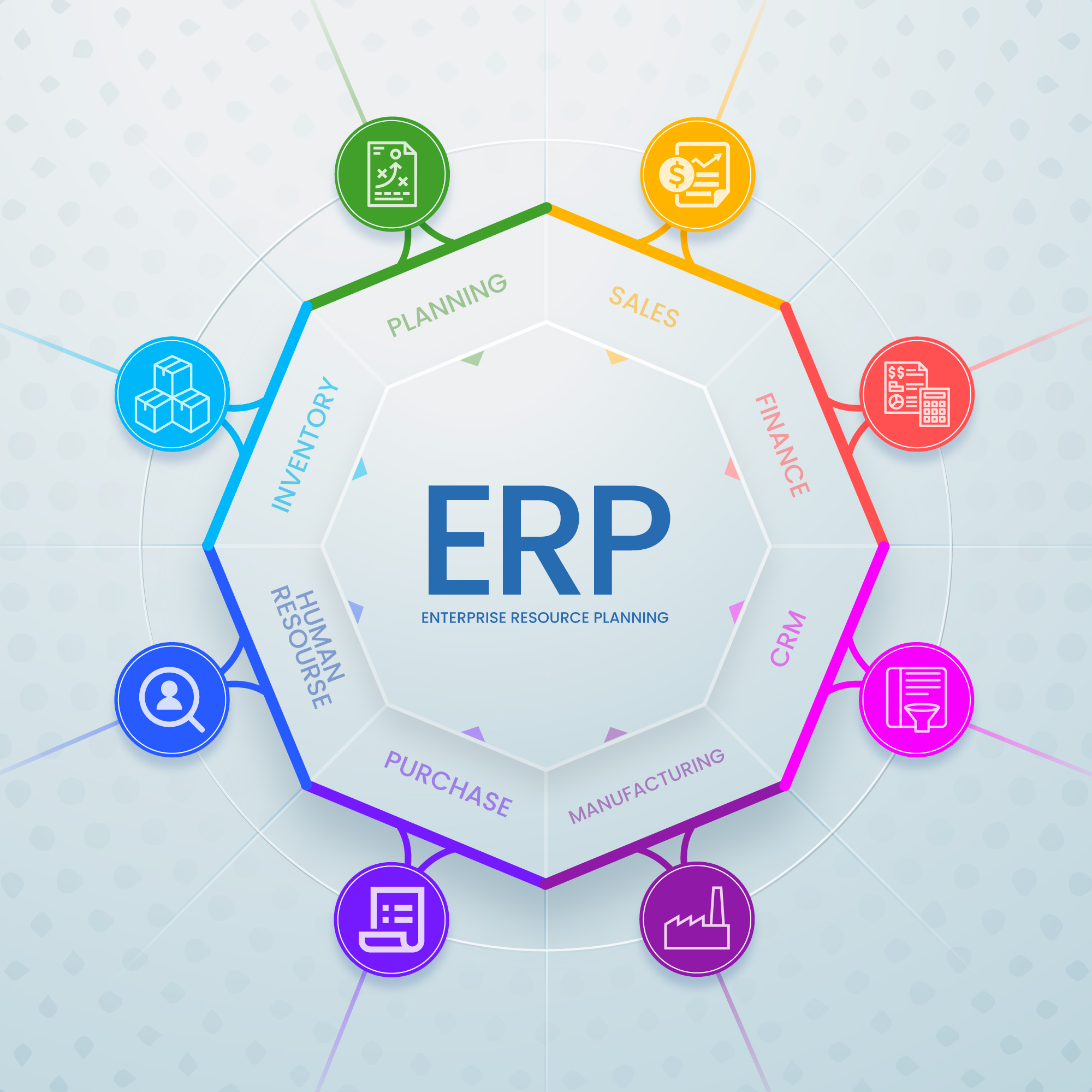
ERP stands for Enterprise Resource Planning. In simple terms, it’s software that connects all the different parts of your business — so when a sale is made, the inventory updates automatically, the invoice gets generated, and the accounts reflect the change. No manual entries, no data going missing between departments.
Without an ERP, most businesses end up managing operations through a mix of spreadsheets, standalone software, and manual processes. This works at a small scale, but as the business grows, the cracks start to show — delays, errors, and hours wasted doing things a system should handle automatically.
Step 1: Be Clear on What Problems You’re Trying to Solve
Before looking at any software, write down the specific problems you face today. Common ones include:
- Stock levels are wrong because sales and warehouse teams aren’t in sync
- Invoices take too long to raise because data has to be re-entered manually
- You can’t see how the business is doing without pulling reports from five different places
- GST filing is a manual, error-prone process every month
- New hires struggle because there’s no single system to learn
The more specific you are, the easier it becomes to evaluate whether a system actually solves your problem — or just adds a new one.
Step 2: Know Which Departments Need to Be Connected
An ERP is only valuable when it connects the parts of your business that currently don’t talk to each other. Think through which teams are involved in your day-to-day operations:
- Sales and CRM — from lead to invoice
- Inventory and warehouse — stock tracking, reorder levels, deliveries
- Purchasing — vendor orders, goods receipt, supplier payments
- Accounting — invoices, payments, GST, financial reports
- Manufacturing — production orders, raw materials, quality checks
- HR and payroll — attendance, leave, salary processing
You don’t need to use every module from day one. But the ERP you choose should be able to grow with you — so you’re not switching systems again in three years.
Step 3: Think About Ease of Use
A system is only as good as how consistently your team uses it. A powerful ERP that confuses your staff will be ignored — and that’s worse than having no system at all.
When evaluating options, ask for a demo and pay attention to:
- Can a non-technical person navigate it comfortably?
- How long would it take to train a new employee?
- Is it easy to find reports and track day-to-day activity?
The best ERP for your business is one your team will actually use — not the one with the longest feature list.
Step 4: Check for India-Specific Compliance
If your business operates in India, compliance is non-negotiable. Your ERP needs to handle:
- GST — including CGST, SGST, IGST, and e-invoicing
- HSN codes and GSTIN validation
- E-Way bill generation
- TDS and TCS calculations
- Multi-branch consolidated reporting
An ERP that can’t handle these requirements out of the box will push your accounts team into workarounds — manual filings, exports to separate tools, and endless reconciliation. Make sure compliance is built in, not bolted on.
Step 5: Understand the Total Cost
The licence price is just one part of what an ERP will cost you. Before committing, make sure you understand:
- Implementation cost — setting up, configuring, and migrating your data
- Training — getting your team up and running
- Customisation — any changes needed to match your specific workflows
- Ongoing support — what happens when something breaks or you need help?
- Upgrades — are future version upgrades included or charged separately?
A cheaper upfront price with high implementation and support costs can end up costing significantly more than a slightly higher-priced system that includes everything.
Step 6: Choose the Right Implementation Partner
Even the best ERP software can fail if the team implementing it doesn’t know what they’re doing. The implementation partner is responsible for understanding your business, configuring the system correctly, migrating your historical data, and training your team.
When evaluating a partner, check:
- Are they officially certified by the ERP vendor?
- Do they have experience in your industry?
- Can they provide references from similar businesses?
- Do they offer post-go-live support — not just during setup?
A partner confident in their delivery will welcome these questions. One that avoids them is a warning sign.
Why Most Growing Businesses End Up Choosing Odoo
After going through the steps above, a lot of businesses — especially in India — find that Odoo ticks every box.
It’s a fully integrated platform, so all your departments work from the same system. Sales, inventory, accounts, manufacturing, HR — everything is connected out of the box, with no need to stitch together separate tools.
It’s flexible enough to fit your business rather than forcing your business to fit the software. Whether you’re a trading company, a manufacturer, a service firm, or a retailer, Odoo can be configured around your actual workflows. And with Odoo Studio, most of those changes can be made without calling a developer.
For businesses in India specifically, Odoo has built-in GST compliance, e-invoicing, e-Way bill support, and Indian payroll — all maintained and updated by Odoo’s official localisation team. You’re not relying on a third-party plugin or a workaround.
It also grows with you. You can start with just the modules you need today and add more as your operations expand — without migrating to a new system or starting over.
And unlike some platforms where you’re locked into one vendor with no visibility into the software, Odoo is open-source. That means no black boxes, no hidden limitations, and a large global community of developers and partners backing it.
If you’re looking for an ERP that is practical, affordable, scalable, and built for the long term — Odoo is the answer.
Frequently Asked Questions
How long does it take to implement an ERP system?
It depends on the size of your business and the number of modules involved. A focused implementation for a small business can take 4–6 weeks. A full implementation across multiple departments typically takes 2–4 months.
Do I need to use all modules from day one?
No. Most businesses start with the modules they need most — usually sales, inventory, and accounting — and add more as they grow. A good ERP is designed to expand with you.
What happens to our existing data when we switch to an ERP?
Historical data — customers, vendors, products, past transactions — is migrated into the new system as part of the implementation process. A reliable partner will handle this carefully so nothing is lost.
Is cloud-based ERP better than on-premise?
Cloud-based means the software is hosted online — your team can access it from anywhere, and updates are handled automatically. On-premise means it runs on your own servers, giving you more control. Most growing businesses prefer cloud for its ease and lower IT overhead.
Can an ERP handle GST and Indian compliance requirements?
Yes — but only if it’s been built with Indian localization in mind. Odoo, for example, has a dedicated Indian accounting module with built-in GST, e-invoicing, and e-Way bill support.
How do I know if a partner is trustworthy?
Ask for references from businesses similar to yours. Check if the partner is officially listed on the vendor’s partner directory. A legitimate partner will have verifiable certifications and a track record of completed projects.
Ready to Find the Right ERP for Your Business?
The right ERP system will save your team hours every week, give you a clear picture of how your business is performing, and grow with you as you scale.
If you’re considering Odoo — or just want an honest assessment of what your business needs — get in touch with Infintor Solutions for a free consultation. We’ll help you figure out exactly what you need, without any pressure.