Odoo Property Management: Manage Properties,
Tenants & Rent in Odoo 19
Introduction
If you rent out apartments, offices, or commercial spaces, you already know the pain: chasing rent, tracking who lives where, and sharing water and electricity bills across units. Odoo Property Management puts all of it in one place. Built into Odoo 19, it manages your properties, tenants, monthly rent, and utility bills from a single, connected system — so nothing slips through the cracks. This blog walks through the full workflow, screen by screen, so you can see exactly how property management in Odoo 19 runs a rental business from start to finish.
What You Get with Odoo Property Management
Odoo Property Management is a ready-to-run setup for landlords and property managers. Once it is active, you get a dedicated Properties app with everything a rental operation needs, organised into four simple menus: Rental Contracts, Availability, Properties, and Configuration. Rent is handled automatically, tenant enquiries flow in from your website, and utility billing is built in.
Step 1: Set Up Your Buildings
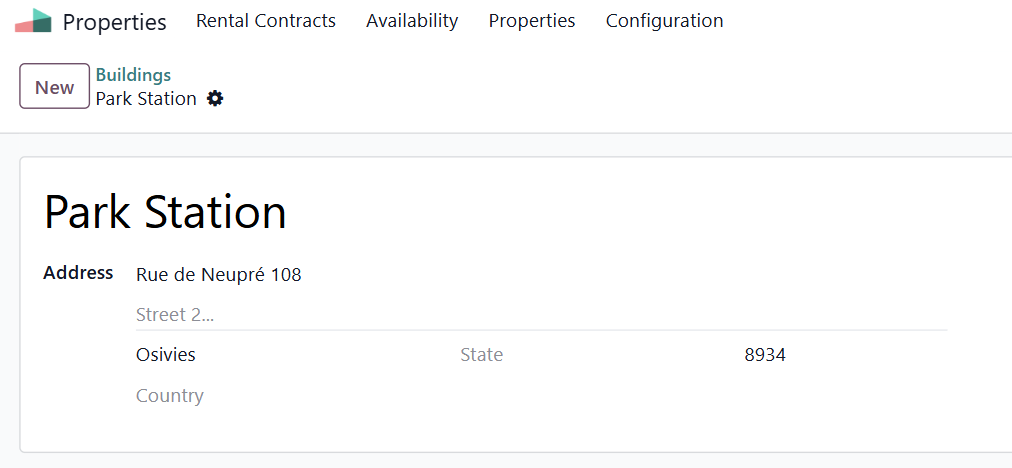
Navigate to: Properties ▸ Properties ▸ Buildings ▸ New
Start by adding each building — the physical address that holds your units. Enter the name and full address, then save. Buildings keep a large portfolio organised, so you can group and find every unit under the right location.
Step 2: Add Your Rental Properties
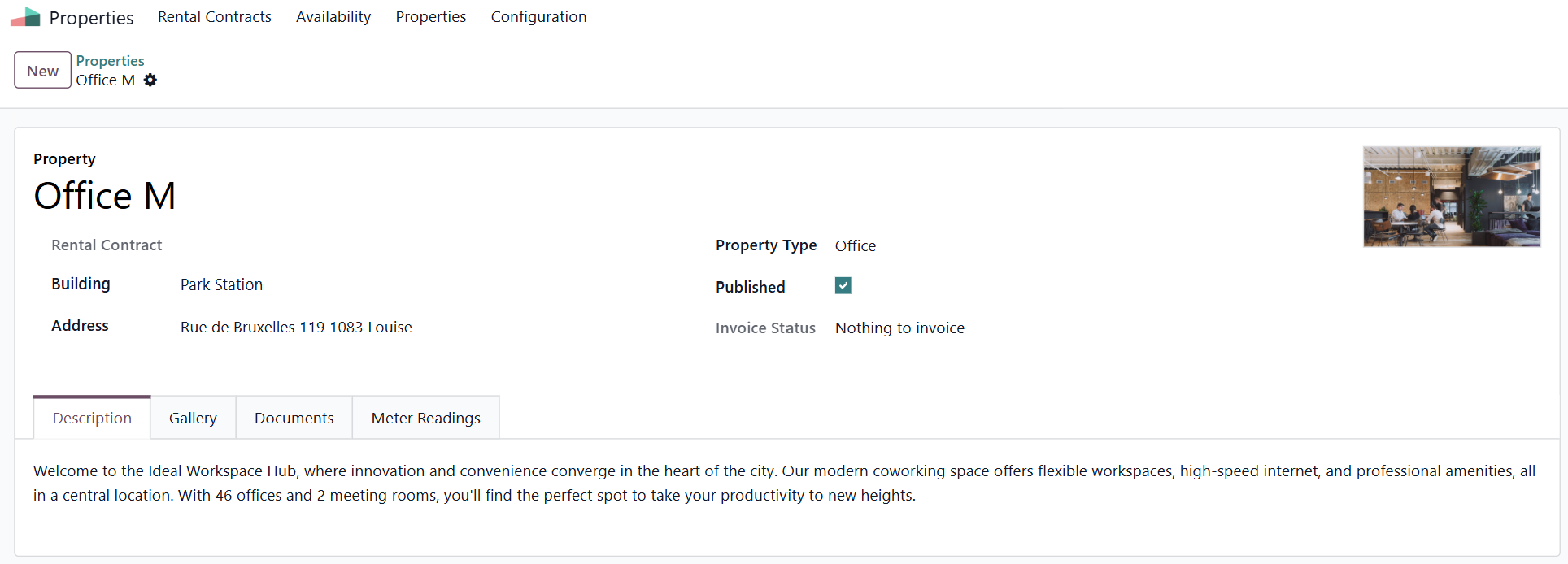
Navigate to: Properties ▸ Properties ▸ Properties ▸ New
Now create each rentable property — an apartment, office, studio, warehouse, and more. Choose its Building, set the Property Type, add the address, and upload a main photo. Four tabs let you complete the record: Description for the website text, Gallery for photos, Documents for files such as the lease, and Meter Readings for utilities. Tick Published to make the unit visible online.
Step 3: Publish Properties on Your Website
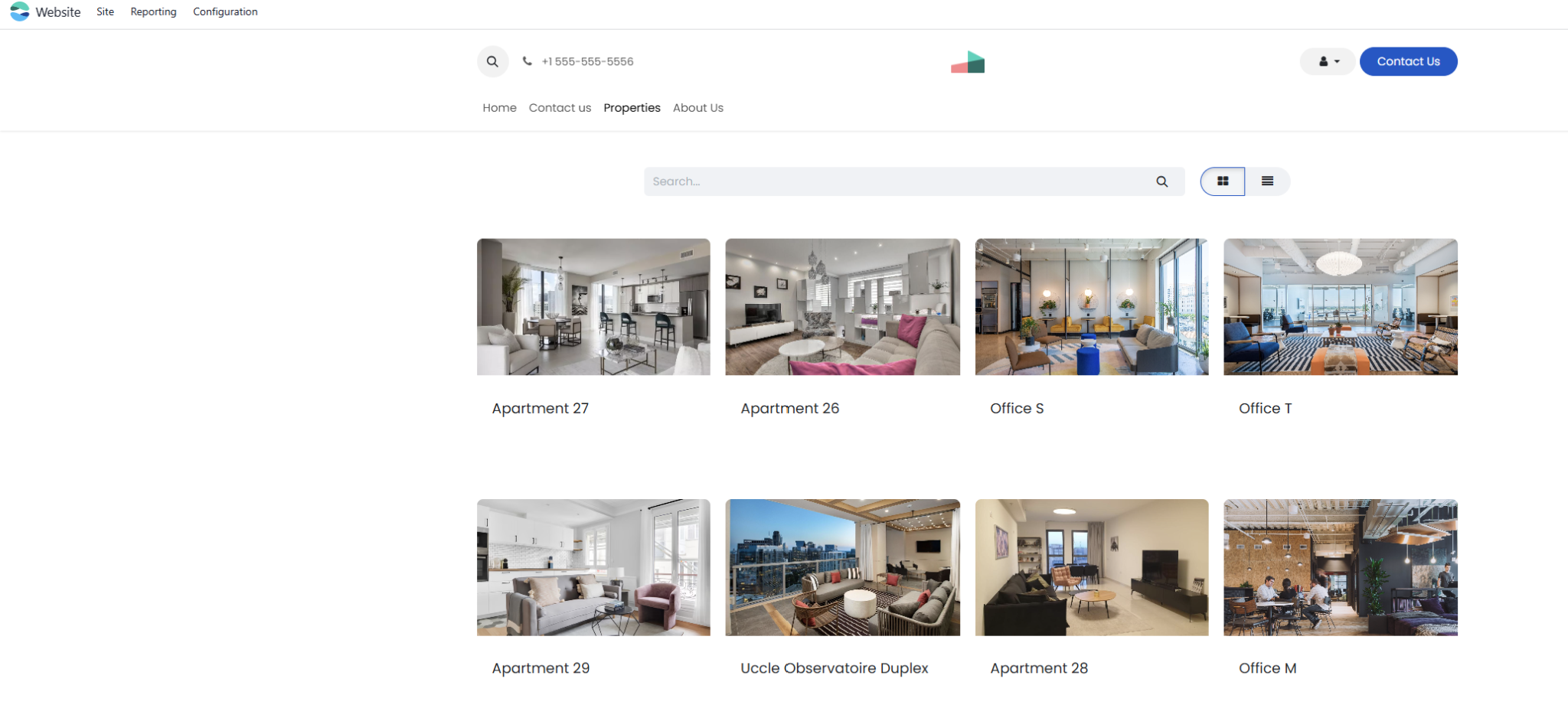
Every published property appears on your public website with its photos, address, and rent. Each listing includes a ready-made enquiry form, so anyone interested can request a visit in seconds — turning your website into a lead source that works around the clock.
Step 4: Capture Tenant Enquiries
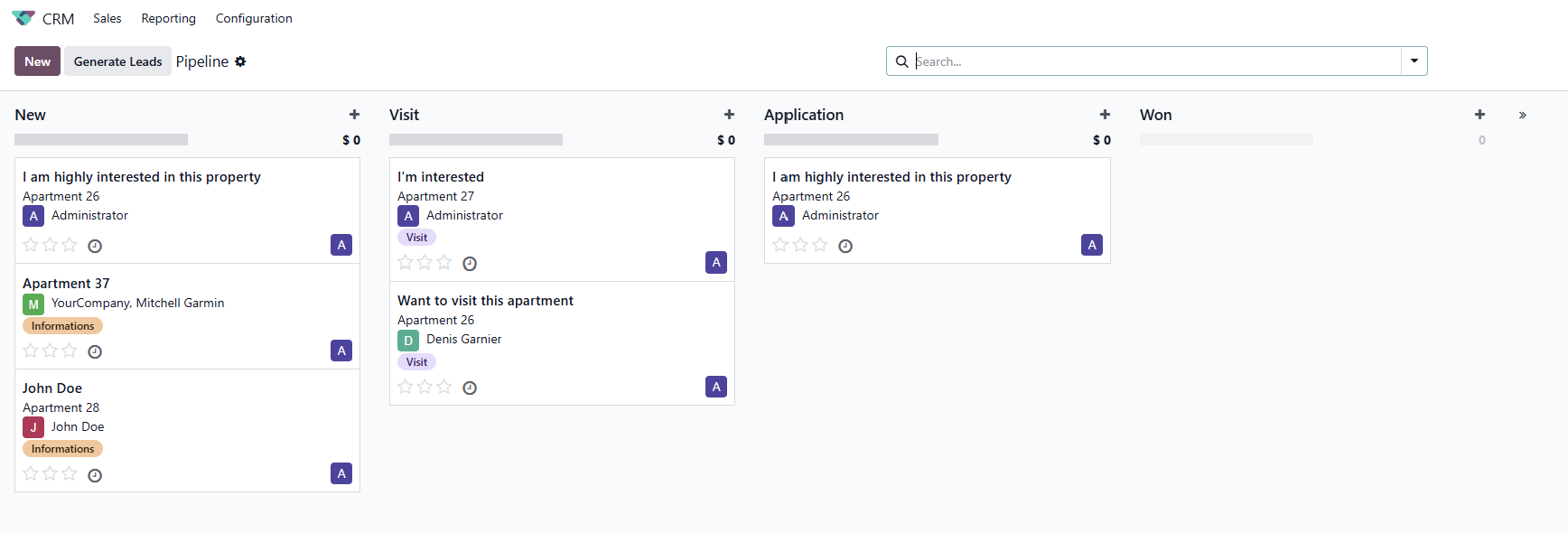
The moment someone fills the enquiry form, Odoo creates a lead that is already linked to the property they asked about. You move each prospect through clear stages — New, Visit, Application, and Won — so every enquiry is followed up and no potential tenant is lost.
Step 5: Create Leases and Collect Rent Automatically
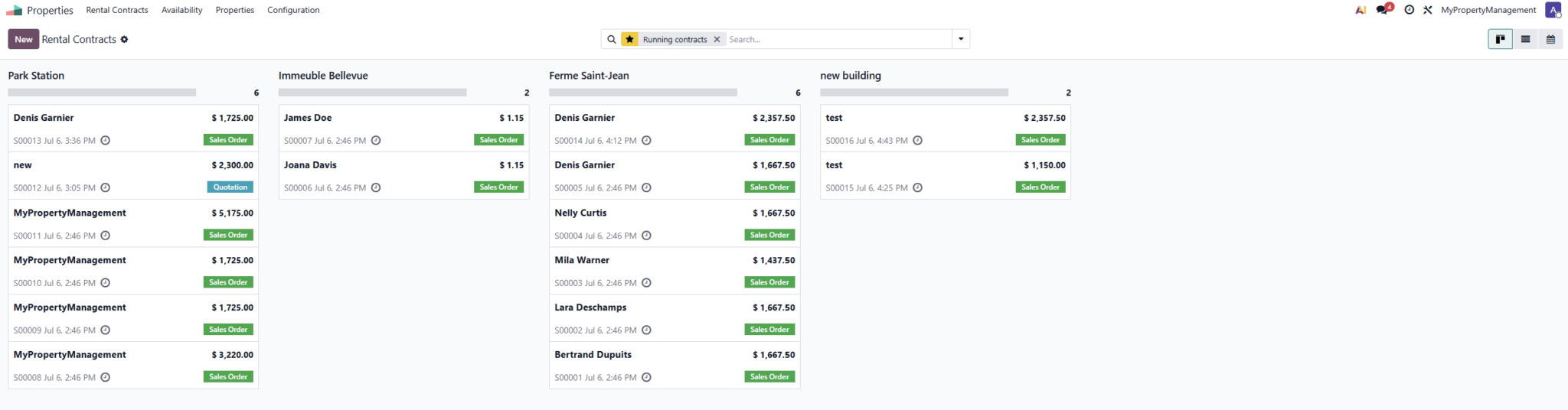
Navigate to: Properties ▸ Rental Contracts ▸ New
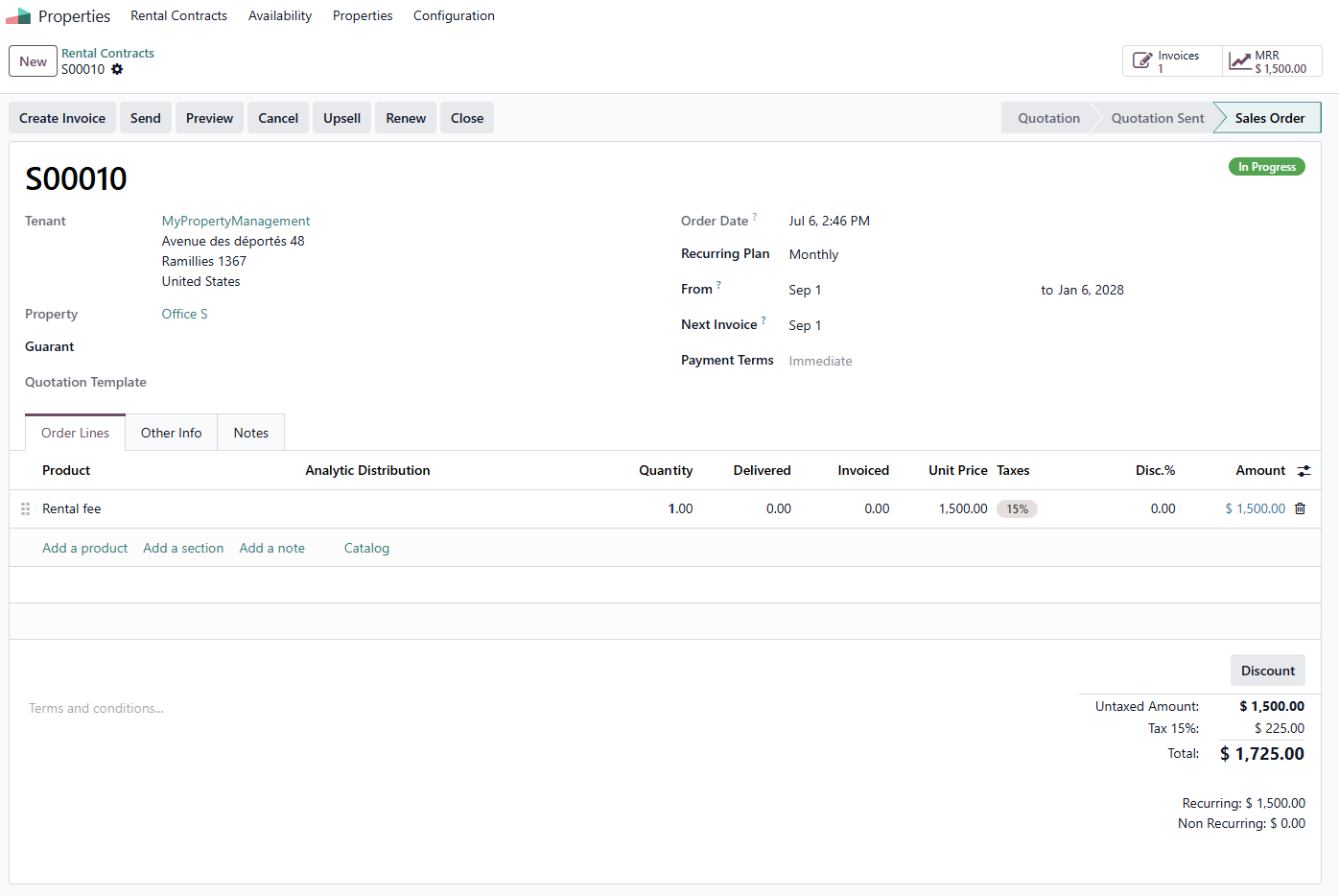
When a tenant signs, create a rental contract. Set the Tenant, the Property, an optional guarantor, the Recurring Plan (Monthly or Yearly), and the start and end dates. Add the rent and any extras such as a security deposit on the order lines, then confirm.
From here, rent takes care of itself. Odoo’s Automatic Invoicing raises the rent invoice every period and can email it straight to the tenant . You also see live MRR (Monthly Recurring Revenue) — your total monthly rent at a glance. Need to raise the rent or add a service? Use Upsell. Tenant staying on? Renew in one click. Tenant moving out? Close the contract to stop billing.
Step 6: Bill Tenants for Utilities
Navigate to: Properties ▸ Configuration ▸ Meters
Set a price for each utility — water, electricity, and gas. Then open any property, go to the Meter Readings tab, and record the meter number each month. Odoo works out the usage automatically, and a single Create Invoice button bills the tenant for exactly what they used. No more manual calculations or disputes over utility charges.

Step 7: Track Availability at a Glance
Navigate to: Properties ▸ Availability
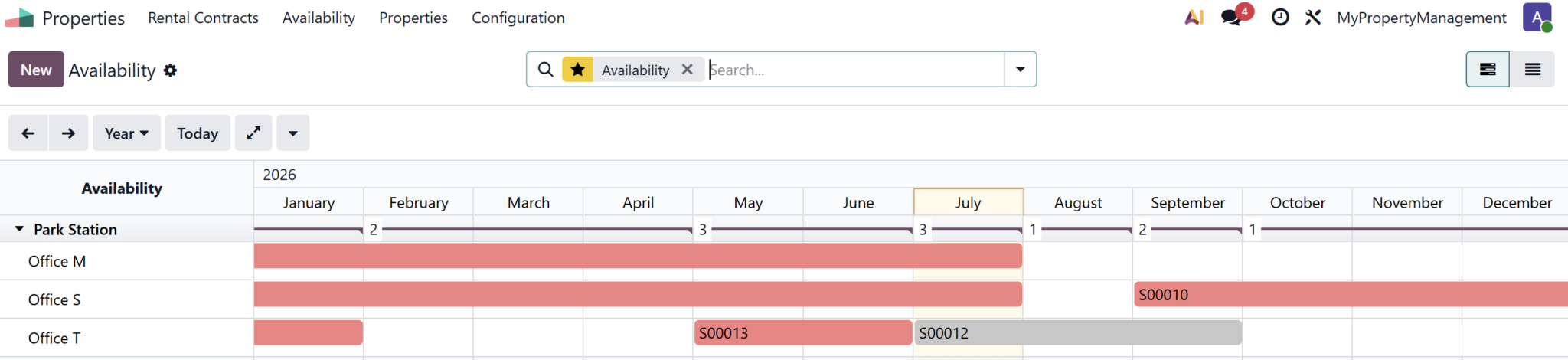
The Availability view shows every contract on a timeline, so you can instantly see which units are occupied and which are free during any period. Planning viewings and forecasting income becomes simple.
Why Choose Infintor for Odoo Property Management
Property management in Odoo 19 is powerful out of the box, and even better when it is set up around your rules — your lease terms, deposits, and local tax requirements. Infintor is an Official Odoo Partner in India that helps rental businesses go live fast and stay supported. From first Odoo implementation to tailored Odoo customization and reliable Odoo support, we make Odoo fit the way you run your properties.
Frequently Asked Questions
What is Odoo Property Management?
It is a ready-to-run rental management setup in Odoo 19. It gives you a Properties app to manage buildings, units, tenants, leases, rent, and utility billing from one place — ideal for landlords and property managers.
Does Odoo create monthly rent invoices automatically?
Yes. Each lease runs on a recurring plan, and Odoo’s Automatic Invoicing raises the rent invoice every period and can email it to the tenant. You do not have to generate rent invoices by hand.
Can tenants pay their rent online?
Yes. Odoo sends tenants a secure payment link or gives them portal access to view and pay their rent invoices online, which speeds up collection and cuts down on follow-ups.
Can I bill tenants for water and electricity?
Yes. Set a price per utility under Configuration, record each unit’s meter readings, and Odoo calculates the usage and bills the tenant for the exact amount consumed.
How do I raise the rent or renew a lease?
Use the Upsell button on the contract to increase the rent or add a service, and the Renew button to continue a tenancy for a new term. When a tenant leaves, the Close button stops the billing.
Do I need Odoo Enterprise for property management?
Property management uses the Subscriptions app, which is part of Odoo Enterprise and available on Odoo Online and Odoo.sh. An Odoo partner can advise on the right edition for your rental business.
Ready to Run Your Rentals on Odoo?
Bring your properties, tenants, rent, and utilities into one system with Odoo Property Management. As an Official Odoo Partner in India, Infintor will set it up, tailor it, and support it for your business. Talk to our Odoo experts today.