
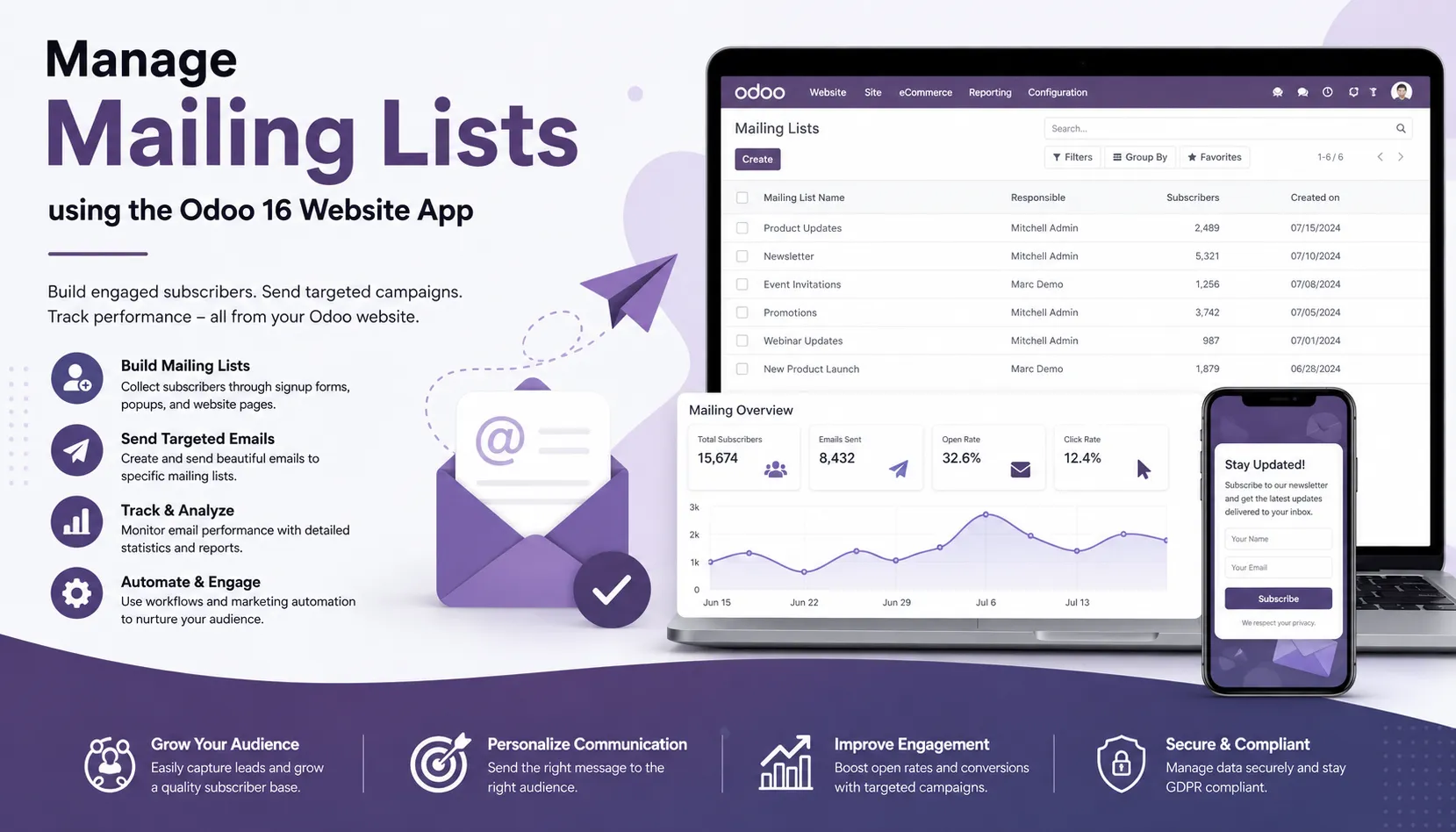
Odoo 16 mailing lists provide a practical way to organize contacts and communicate with specific audiences from a centralized business management platform. Instead of sending the same email individually to multiple recipients, businesses can create targeted mailing lists and manage subscribers more efficiently. This approach makes communication faster, more organized, and easier to maintain, especially when a company regularly sends announcements, newsletters, product updates, promotional messages, or other business communications.
With Odoo 16 mailing lists, businesses can group contacts according to their interests, customer relationships, communication preferences, or business requirements. For example, a company can create separate mailing lists for existing customers, prospects, employees, newsletter subscribers, event participants, or partners. As a result, marketing and communication teams can reach the right audience without manually managing every recipient. Moreover, centralized mailing list management helps businesses maintain better control over contact information and communication activities within the Odoo ERP environment.
How Odoo 16 Mailing Lists Improve Business Communication
Effective email communication plays an important role in customer engagement. However, managing multiple contact groups can become difficult when businesses rely on separate email tools or manually maintained spreadsheets. Odoo 16 helps simplify this process by bringing mailing list management closer to the rest of the business operations. Consequently, teams can organize subscribers, manage communication groups, and maintain a more consistent workflow from one platform.
The Odoo Website application also makes mailing lists useful for businesses that want to connect website visitors with their email communication strategy. A website can attract new visitors, while mailing lists provide a way to continue communicating with those visitors after they leave the website. Therefore, businesses can use Odoo mailing lists to build long-term relationships with prospects and customers instead of depending only on one-time website visits.
For example, an online business can create a newsletter mailing list for visitors who want regular product updates. Similarly, a service company can maintain separate lists for existing customers and potential customers. This segmentation allows the business to deliver more relevant communication while reducing unnecessary emails. As a result, Odoo 16 mailing lists can support both everyday business communication and broader digital marketing activities.
Odoo Mailing Lists for Email Marketing and Customer Engagement
Email marketing remains an important digital marketing channel because it allows businesses to communicate directly with people who have already shown interest in their products or services. Odoo provides a connected environment where businesses can use customer information and mailing lists to support their email marketing activities. Instead of maintaining contact information in several disconnected systems, teams can manage relevant data within the Odoo ecosystem.
With properly organized mailing lists, businesses can create different communication groups based on their marketing objectives. A company launching a new product, for instance, may want to communicate with existing customers first. Another company may want to send educational content to prospects while providing promotional offers to subscribers who have already purchased products. By separating these audiences into appropriate mailing lists, businesses can make their email communication more relevant and purposeful.
Furthermore, mailing list segmentation can help improve customer engagement. When subscribers receive information that matches their interests, they are more likely to read the message and interact with the business. Therefore, companies should avoid treating every contact as a single audience. Instead, they can use Odoo mailing lists to organize contacts according to business needs and create a more targeted communication strategy.
Managing Website Subscribers with Odoo 16
The Odoo Website application provides businesses with a convenient environment for managing website-related communication. A company website often serves as the first point of contact between a business and a potential customer. Once visitors decide to subscribe to updates, newsletters, or other communications, the business needs a reliable method to organize those subscribers. Odoo mailing lists can help manage this process within the broader Odoo ERP system.
Website visitors can represent different types of audiences. Some may simply want company news, while others may be interested in product announcements, offers, events, or industry information. Consequently, creating separate mailing lists can help businesses provide more relevant communication to each group. This approach also supports a cleaner customer communication process because teams can identify which audience they are addressing before sending an email.
In addition, centralized subscriber management can reduce repetitive administrative work. Marketing teams do not need to maintain separate lists in multiple applications when they can manage relevant mailing list information through Odoo. This improves consistency and gives teams a clearer view of their communication groups. Over time, businesses can use this structured approach to develop a more effective email marketing workflow.
Odoo 16 Mailing List Management and CRM Integration
One of the major advantages of using Odoo is its integrated business environment. Mailing lists can work alongside other Odoo applications, including CRM, Sales, Website, Contacts, Marketing, and other business tools. This integration helps organizations connect customer communication with broader business processes. Instead of treating email communication as an isolated activity, companies can incorporate it into their overall customer relationship strategy.
For example, a lead generated through a website may eventually become a customer. During that journey, the business may need to send different types of communication based on the lead’s stage and interests. By using the connected Odoo environment, teams can manage customer information and communication activities more efficiently. This can help reduce data duplication and improve coordination between marketing and sales teams.
Odoo CRM integration can also help businesses maintain a more organized customer database. When contact information changes, teams can update the relevant records rather than repeatedly editing information across multiple platforms. As a result, businesses can improve data consistency while creating a more reliable foundation for email marketing and customer engagement.
Create Targeted Mailing Lists for Different Audiences
A single mailing list may not be suitable for every business. As the number of subscribers increases, audience segmentation becomes increasingly important. Odoo 16 allows businesses to organize mailing groups according to their communication requirements. This makes it easier to send relevant information to a specific audience instead of distributing every message to every subscriber.
For instance, an e-commerce company could create mailing lists for new customers, repeat customers, newsletter subscribers, and promotional subscribers. A B2B organization could create separate groups for leads, existing clients, business partners, and event participants. Similarly, a software company could maintain lists for product updates, technical announcements, training sessions, and newsletters. Each group can receive communication that matches its specific interests and relationship with the business.
This targeted approach can also support better email marketing performance. When businesses send relevant content to a well-defined audience, recipients are more likely to find the communication useful. Therefore, mailing list segmentation is not simply an administrative task; it can become an important part of a company’s broader digital marketing strategy.
Improve Email Communication with Odoo Website and ERP
Managing mailing lists through Odoo becomes particularly useful when the website and ERP system work together. A website can generate leads, collect subscribers, promote products, and communicate company information, while Odoo can provide the centralized business environment required to manage those activities. This combination allows businesses to connect their online presence with internal business processes.
Moreover, Odoo can help businesses reduce the need to move contact information manually between different systems. Manual data transfer often creates duplicate records, outdated contact details, and unnecessary administrative work. By keeping communication and business information within an integrated Odoo environment, organizations can create a smoother workflow for their teams.
For growing businesses, this integration can become even more valuable. As subscriber numbers increase, manually maintaining email groups becomes increasingly difficult. Odoo mailing list management provides a more structured approach that can scale with the organization. Businesses can create additional mailing groups, manage subscribers, review communication requirements, and apply moderation controls as their needs evolve.
Why Mailing List Management Matters for Odoo Users
Mailing list management is more than simply storing a collection of email addresses. Businesses need to know who receives their communications, why they receive them, and how the organization can manage those contacts effectively. Odoo provides a centralized environment that helps businesses organize mailing groups while connecting communication activities with other business operations.
Furthermore, a structured mailing list strategy can help marketing and sales teams work more efficiently. Marketing teams can focus on creating relevant content for specific audiences, while sales teams can benefit from better-organized customer information. At the same time, administrators can apply appropriate access and moderation controls to maintain communication standards.
Odoo 16 therefore provides a useful foundation for businesses that want to manage website subscribers and mailing groups within their ERP system. Whether the requirement involves newsletters, customer updates, product announcements, internal communication, or targeted email campaigns, properly organized mailing lists can make the process easier to manage.
Best Practices for Odoo Mailing List Management
Businesses can get better results from Odoo mailing lists by maintaining clean subscriber information and organizing audiences carefully. Before creating multiple groups, it is useful to identify the purpose of each mailing list and determine which audience should receive the communication. Clear naming conventions can also help employees understand the purpose of each group and reduce the risk of selecting the wrong audience.
It is also important to review mailing lists regularly. Businesses should remove outdated information where appropriate, monitor subscriber activity, and ensure that communication follows applicable company policies and email marketing requirements. In addition, moderation rules can help administrators maintain control over messages and prevent unwanted or inappropriate content from entering a mailing group.
Finally, businesses should avoid sending every communication to every subscriber. A targeted email strategy generally provides a better experience because recipients receive information that is relevant to them. By combining audience segmentation, centralized contact management, moderation, and appropriate email marketing practices, organizations can make better use of Odoo mailing lists.
Odoo 16 Mailing Lists for a More Connected Digital Strategy
Odoo 16 brings website management, customer information, communication, and business operations into a connected ERP environment. Mailing lists are one part of this larger ecosystem, but they can play an important role in maintaining continuous communication with website visitors, prospects, customers, and other stakeholders. When businesses organize mailing groups properly, they can create a more structured communication process and reduce the administrative effort involved in managing large contact databases.
In addition, Odoo mailing lists can support a company’s broader digital marketing strategy. Businesses can use segmented audiences to deliver newsletters, product information, company announcements, educational content, and promotional messages. As the business grows, the same structured approach can help teams manage larger subscriber databases without relying heavily on disconnected spreadsheets or external communication workflows.
Overall, Odoo 16 mailing list management gives businesses a practical way to organize email communication while benefiting from the wider Odoo ERP ecosystem. By connecting website users, contacts, CRM activities, and email communication, organizations can create a more consistent customer engagement process. This makes Odoo a useful platform for businesses looking to manage their website communication and business operations from one integrated system.
Odoo 16 Mailing Lists and Email Management
Mailing lists allow you to send a single message to a group of people simultaneously. This is particularly useful for announcements, updates, or important information that needs to reach a specific audience. Managing mailing lists often involves integrating with other systems, such as customer relationship management (CRM) tools or marketing automation platforms which can be done in Odoo. This integration streamlines workflows and ensures consistency in data across different platforms.
We can manage different mailing lists in the website module of Odoo 16 to interact with our website users effectively.
Website Application => Configuration menu => Mailing Lists section => Mailing Lists
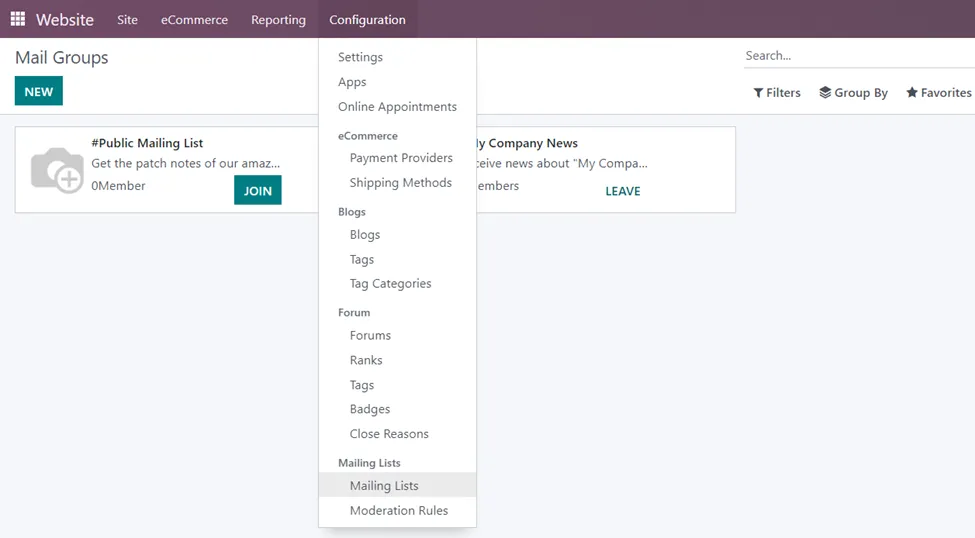
The Mail Groups page shows all the mail groups configured in the system. We can view the name, description, number of members, and the option to ‘Join’ or ‘Leave’ the group in the Kanban view.
Open a Mail Group to view details of the email group selected so that we can do email campaigns with that selected group. The page shows details such as Mail Group name, E-mail alias, Description, Moderators of the group, Privacy, Authorized group, Automatic notification, and the option to send guidelines to new subscribers. In the privacy setting, we have the option to select everyone, members only, or the selected group of users.

We can also access the members, emails received, emails waiting for an action, and moderated emails.
In the ‘Email Alias?’ field, we can configure the email addresses of users by opening the ‘Configure a custom domain’ option. It is automatically directed to the Settings of the Users where we have the option to invite new users by entering their email addresses.

If you want to create a new Mail Group and add members to that group, we can use the same method by selecting the ‘New’ button at the top-left side of the Mail Groups page and opening the ‘Configure a custom domain’ option. After entering the email address of the new member, click on the ‘Invite’ button.
Organizations may want to control the content of emails to ensure that they align with company policies and standards. Moderation rules can be used to block or flag emails that contain inappropriate or sensitive content. They help filter out spam and unwanted emails. By setting criteria for what is allowed or blocked, organizations can reduce the risk of phishing attacks and other malicious activities. We can set moderation rules in Odoo by using the website application.
Website Application => Configuration menu => Mailing Lists section => Moderation Rules.

We can add moderation rules by selecting this option. Here, we can specify the Mail Groups with their email addresses and the status. The status can be either ‘Always Allow’ or ‘Permanent Ban’. We also have the option to directly create a moderation for a Mail Group by going to the ‘Moderations’ smart button on the page and selecting the ‘New’ option.
Thus, managing mailing groups was made easy with Odoo 16. Remember to follow Infintor Solutions to get more insights into the functionality of Odoo.